24 Monochrome Star Patterns: A Versatile Design Resource for Creators and Entrepreneurs
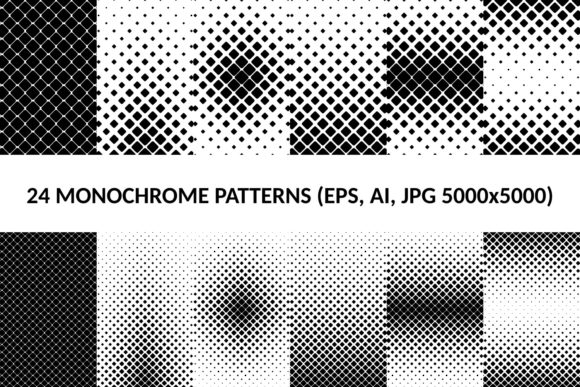
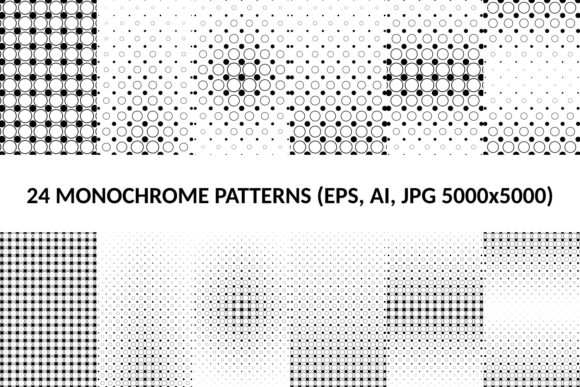
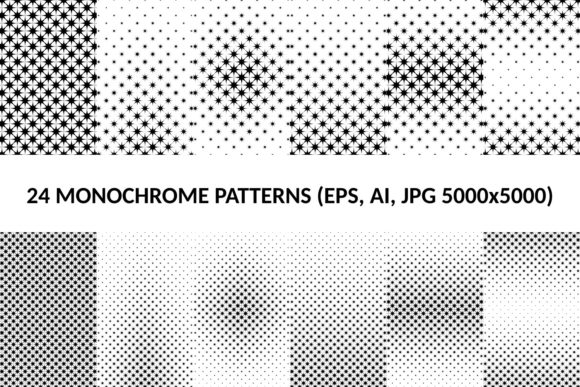
If you have ever needed a clean, scalable, and instantly usable set of star-based graphics, the 24 Monochrome Star Patterns package delivers exactly that. It includes 24 distinct star patterns, each provided in vector AI, EPS, and SVG formats, plus a high-resolution JPG version at 5000x5000 pixels. The monochrome approach—typically black on white or white on black—gives these patterns a timeless, graphic quality that works across countless projects. Whether you are a freelance designer building a brand identity, a small business owner preparing marketing materials, or a hobbyist creating custom invitations, this collection removes the grunt work of drawing stars from scratch. Instead, you get ready-to-use assets that you can drop into any layout, scale to any size, and adapt to your specific color palette.
Real-World Uses for Monochrome Star Patterns
The strength of monochrome star patterns lies in their simplicity. They are not competing for attention; they support your message while adding visual structure. Here are several scenarios where this package proves valuable.
Branding and Logo Design
Stars are a universal symbol of excellence, achievement, and aspiration. When you need a logo element or a recurring motif for a brand, monochrome patterns offer a professional, understated look. The vector formats (AI, EPS, SVG) let you resize the shapes without losing quality, so you can use the same pattern on a business card, a website header, or a storefront sign. For example, a tutoring company might choose a subtle star pattern as a background for their logo mark. The monochrome treatment ensures the pattern does not clash with other brand colors, and because the SVG file is lightweight, it loads quickly on the website.
Social Media and Digital Content
Consistency is key when you manage multiple social media accounts. With 24 distinct patterns, you can rotate them across Instagram posts, Facebook banners, and LinkedIn backgrounds without repeating the same look. The SVG files are particularly handy here because you can edit them in tools like Canva, Figma, or Adobe Illustrator. A lifestyle blogger, for instance, could use a star-filled diamond pattern as the base for a weekly quote graphic. The 5000x5000 JPG version also works as a high-res background for Pinterest pins or YouTube thumbnails, giving your content a cohesive, polished feel.
Print Materials: Flyers, Posters, and Packaging
Print design demands clean, high-resolution assets. The 5000x5000 JPGs are more than enough for A4 or letter-size posters, and the vector files can be scaled up for large banners or trade show displays. Small businesses selling handmade goods often use star patterns on product packaging—think small boxes, hang tags, or wrapping paper. Because the patterns are monochrome, they print cleanly in black and white, saving on color ink while maintaining a sharp, professional appearance. A coffee roaster, for example, might print a star pattern on the side of a kraft paper bag using just one ink color, achieving a rustic yet refined look.
Educational and Classroom Materials
Teachers and educators frequently need visual aids that are simple and repeatable. Monochrome star patterns work well as borders for worksheets, backgrounds for slide decks, or templates for bulletin boards. The vector files make it easy to customize the size and spacing. A science teacher explaining constellations could use the patterns as a base for labeling exercises. The fact that the patterns are already grouped and ready means less time formatting and more time teaching. Similarly, homeschool parents can print the JPGs directly onto cardstock for hands-on math or art projects.
Hobbyist Crafts: Scrapbooking, Cricut, and Vinyl Decals
For hobbyists, the SVG files are a goldmine. Cutting machines like Cricut and Silhouette work natively with SVG, so you can import a star pattern and use it to cut vinyl, cardstock, or heat-transfer material. A crafter making custom mugs might apply a star pattern as a mask, then etch the design onto ceramic. A scrapbooker could print the JPG versions onto sticker paper and use them as decorative elements. Because the package includes 24 different layouts, you have variety without having to redraw anything. Whether you are making wall decals for a child’s room or personalized notebooks for a party favor, these patterns streamline the process.
Who Benefits Most from This Package
The collection is designed for anyone who values efficiency and quality. Here is how different users gain specific advantages:
- Freelance graphic designers can save hours by starting with these patterns instead of building each from scratch. The AI and EPS files integrate seamlessly with professional workflows.
- Small business owners who handle their own marketing can quickly create branded backgrounds for promotional emails, social media ads, and in-store signage without hiring a designer.
- Bloggers and content creators can maintain a consistent aesthetic across multiple platforms. Rotating patterns reduces visual fatigue for their audience.
- Educators and trainers can produce handouts, certificates, and presentation slides that feel intentional rather than generic.
- Hobbyists and DIY enthusiasts gain access to high-quality vectors that work with home cutting machines and print-on-demand services.
- Print shops and sign makers can offer clients a star-pattern option without manual digitization, speeding up turnaround times.
What to Consider Before Using the Patterns
While the package is ready to use, a few practical considerations will help you get the most out of it. First, the patterns are monochrome. That means they come as single-color designs (typically black foreground on transparent or white background). If you need multicolor patterns, you will have to duplicate the elements and apply different fills yourself. The vector files make this straightforward, but it is an extra step. Second, check which software you plan to use. AI and EPS files are native to Adobe Illustrator, but many free programs like Inkscape or Gravit Designer can open them. SVG files are the most universal—they work in web browsers, Canva, and most vector editors. The JPGs are great for immediate use but cannot be scaled easily, so for large prints, stick to the vectors. Finally, think about licensing. While the patterns are provided for commercial and personal use (assuming standard royalty-free terms), double-check the included license file to confirm usage rights for your specific project, especially if you plan to resell the patterns as standalone items.
How the Package Saves Time and Effort
Designing a repeating star pattern from scratch takes time: creating the star shape, arranging it in a grid or radial layout, adjusting spacing, and exporting to multiple formats. The 24 Monochrome Star Patterns package eliminates that entire workflow. You receive 24 unique arrangements, each already optimized for seamless tiling or immediate placement. The inclusion of four formats (AI, EPS, SVG, JPG) means you do not need to convert files yourself. For example, you can take the SVG directly into a web project, use the AI file for advanced editing, and rely on the JPG for a quick mockup. This saves hours across a single project, and if you work on multiple projects per year, the cumulative time savings become significant. Moreover, having 24 variations means you can test different looks without committing hours to each one. You might find that a dense star field works better for a full-page background, while a sparse, geometric pattern suits a logo lockup.
Creative Possibilities Beyond the Obvious
Star patterns are not just for celestial themes. Monochrome designs can convey luxury, precision, or playfulness depending on the arrangement. A pattern composed of tiny, evenly spaced stars resembles a textile texture and can work as a subtle watermark. A pattern with large, bold stars becomes a statement graphic on a T-shirt or tote bag. You can rotate, flip, or combine patterns to create entirely new compositions. For instance, layering two different star patterns at reduced opacity can generate a complex background effect in a poster or website hero image. Because the files are vectors, experimenting costs nothing but a few minutes of your time.
Final Thoughts on Choosing the Right Pattern
When you browse the collection, think less about the individual stars and more about the mood you want to create. A pattern with perfectly aligned stars feels orderly and professional, suitable for corporate presentations or formal invitations. A pattern with scattered, varying sizes feels organic and whimsical, ideal for a children’s book or a craft fair display. The monochrome treatment ensures that whichever pattern you choose, it will integrate smoothly with your existing color scheme. You can always invert the colors or apply a tint in your design software. The key is to start with a solid foundation, and that is exactly what these 24 patterns provide. Whether you are designing a logo, decorating a product, or building a brand, having a set of reliable, scalable star patterns at your fingertips makes the entire process faster, easier, and more enjoyable.